How to Choose Mosque Management Software: 12 Questions to Ask Before You Commit
Choosing mosque management software? Ask these 12 questions first — prayer times, finance, madrasah, support and the true cost — before your committee commits.
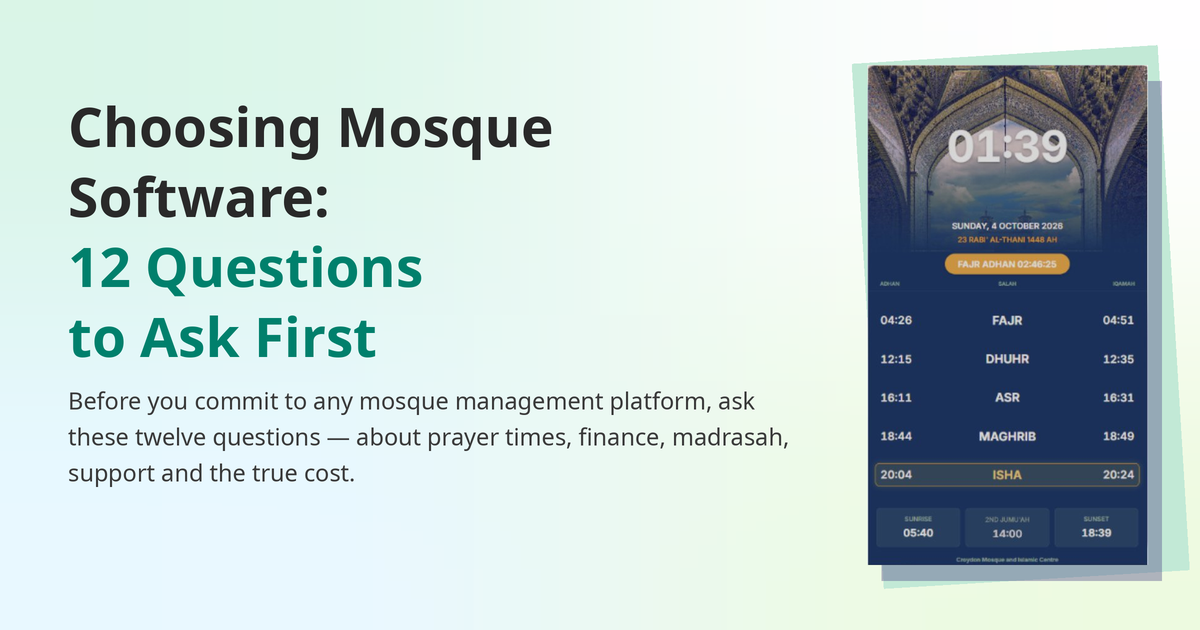
Choosing software for your mosque is not like choosing a printer. A printer can be replaced on a Monday and forgotten by Tuesday. Mosque software holds your prayer timetable, your donation records, your madrasah registers and your hall bookings — and once the congregation is used to it, changing it means retraining every volunteer and rebuilding every record. The committees that regret their choice usually do not regret the software itself. They regret the questions they never asked first.
This guide gives you those questions. Twelve of them, in four areas: prayer times and screens, money, people and programmes, and the company behind the product. Ask them of every system you consider — including MinarOS — and write the answers down. The system that answers them clearly is usually the right one.
Do this before any salesperson shows you anything. Spend half an hour as a committee listing the jobs the software has to do: prayer times on the screens, donation records, madrasah attendance and fees, hall bookings, a website, registers for Nikah and Janazah. Mark each one "must have", "would help" or "not needed". A small mosque with one screen and a paper donation book has different needs from a large mosque with a madrasah of two hundred children — and a good supplier will tell you so, rather than selling you both the same package.
Now the twelve questions.
1. Does it calculate prayer times the way our mosque does? Every mosque follows a calculation method — Muslim World League, ISNA, Diyanet, Umm al-Qura, or a local timetable — and many follow a particular Asr school, Hanafi or Shafi'i. If the software cannot use your method, your times will be wrong from day one, and no amount of good design fixes that. Ask the supplier to show your mosque's times, for your location, using your method, and compare them against the timetable your mosque already trusts.
2. Can we set iqamah the way we actually pray? Adhan times come from calculation. Iqamah times come from your committee's decisions — a fixed time for Fajr, twenty minutes after adhan for Isha, a different rule in summer than in winter. A system that only shows adhan times is only doing half the job, and one that only allows a single kind of iqamah rule will force your mosque to change its practice to fit the software. Check that it handles fixed times, offsets and seasonal changes — see Iqamah Times Explained.
3. What happens when the internet drops? A screen that goes blank at Maghrib because the Wi-Fi dropped is worse than no screen at all — the whole congregation is looking at it. Ask whether the display keeps working offline, with the timetable stored on the device itself. And ask how the screens are updated: from one place, or one screen at a time? If your mosque has a screen in the main hall, one in the sisters' section and one at the entrance, they should all show the same times from one edit. The guide on displaying prayer times on your mosque TV walks through the setup options in detail.
4. Are Zakat, Sadaqah and Fitra kept in separate funds? These are different kinds of money with different rules. Zakat can only go to its proper recipients; Sadaqah is general giving; Zakat al-Fitr is a fixed amount per person before Eid. If the system puts them all in one pot, the committee cannot prove afterwards where any of it went — and that is exactly the argument you do not want after Ramadan. Ask to see the separate funds, the receipts, and the record a donor receives.
5. Can the treasurer produce a report the committee can actually read? A treasurer who cannot show the committee, clearly and quickly, what came in, what went out and what is left is a treasurer in trouble — however honest they are. Ask what the monthly report looks like: income by fund, expenses, balances, and a list of donations with receipts. In the UK, also ask whether donation records are kept in a way that supports Gift Aid claims.
6. What is the true cost — per screen, per user, per year? The headline price is rarely the whole price. Ask about setup fees, charges per screen, charges per user or per admin, and what happens to the price in year two — and what is included versus what costs extra. Ask whether there is a free way to start: a free screen or a free plan lets your committee try the system on real prayer times before any money changes hands. If a supplier cannot give you a straight answer to "what will this cost us in a year?", treat that as an answer in itself.
7. Does it cover the madrasah, not just the prayer hall? Many systems are built for the prayer hall and treat the madrasah as an afterthought. But the madrasah is where the daily work is: attendance, classes, teachers, fees, parents who need to know when term restarts. Ask whether registers, attendance and fees are part of the system, and whether teachers can use them without a training course. If the madrasah keeps running on paper while the prayer hall runs on software, you have bought half a system.
8. Can it keep the mosque's records — Nikah, Janazah, library, hall bookings? A mosque is a record-keeper as well as a place of prayer. Nikah registrations, Janazah arrangements, library books lent and returned, hall bookings with deposits — each is a register somebody currently keeps in a notebook, a spreadsheet, or their head. Ask which of these the system covers, and what happens to the record when the person who kept it leaves the committee. A system that holds the mosque's memory is worth more than one that only holds its timetable.
9. Who can do what — and can a volunteer actually use it? Software that only the person who installed it can operate is a liability, not an asset. Ask about roles: can the imam update prayer times, the treasurer see only the finances, a teacher take the madrasah register, without each of them seeing — or accidentally changing — everything else? Then ask the most practical question of all: can a non-technical volunteer update a notice from their phone in under a minute? If the answer involves a manual, the answer is no.
10. What happens when something breaks on a Friday evening? Screens, timetables and donation pages do not break on Tuesday mornings. They break on Friday evenings, before Jumu'ah, when everyone is watching. Ask who you contact, how, and how quickly they respond — and whether support is a real person or a contact form. Ask what happens if the company itself has a bad day: does the screen keep working, and do the prayer times keep showing?
11. Does our mosque keep its own data? Your mosque's donation history, madrasah registers and member records belong to the mosque, not to the software company. Ask whether you can export your data, in what format, and what happens to it if you leave. A supplier that makes it easy to leave is a supplier that is confident you will stay. A supplier that locks your data in is telling you something about the relationship before it has even begun.
12. Can we try it on one screen before we commit the whole mosque? The best answer to most of the questions above is to try the system for real: one screen, real prayer times, real notices, for a few weeks. Ask whether you can start small — a free screen, a trial period — and what happens to your data if you decide not to continue. A pilot with one screen costs the mosque almost nothing and tells the committee more than any demo ever will. If a supplier will not let you try before you buy, ask yourself why.
Once you have the answers, deciding is straightforward. Score each system against your must-have list, not against its longest feature list — a system with nine modules you will never use is not better than a system with five you will use every day. Give the trial to the volunteer who will actually run it, not to the most technical person on the committee, and listen to what they say after a week. And check one reference: ask the supplier for the name of a mosque of a similar size that uses the system, and call them.
Remember what this decision is really about. The software is not the point. The point is a congregation that can see the right prayer time without asking, a treasurer who can show where every pound went, teachers who can take a register instead of chasing one, and a committee that talks about the mosque instead of the software. The right system disappears into the background and lets the mosque get on with being a mosque. The wrong one becomes a standing item on every agenda.
- ☐ Our calculation method and Asr school supported, verified against our timetable
- ☐ Iqamah as fixed times, offsets and seasonal rules
- ☐ Screens keep working offline; one edit updates every screen
- ☐ Zakat, Sadaqah and Fitra in separate funds, with receipts
- ☐ A monthly treasurer's report the committee can read
- ☐ The full yearly cost, in writing — including per-screen and per-user charges
- ☐ Madrasah registers, attendance and fees included
- ☐ Nikah, Janazah, library and hall booking records covered
- ☐ Roles so each volunteer sees only what they need; phone-friendly updates
- ☐ Real support when things break, and screens that survive an outage
- ☐ Our data exportable; we can leave without losing our records
- ☐ A free screen or trial so we can test it for real before committing
MinarOS is built to answer these twelve questions directly:
- Prayer times are calculated, not typed. The Prayer Calculation Engine supports the standard methods — including MWL, ISNA, Diyanet, Umm al-Qura and others — with fixed, offset and seasonal iqamah, so the times on the screen are your mosque's times.
- The screens keep working offline. The TV app pairs with a 6-digit PIN, runs on Android TV and Fire TV, and keeps showing the correct times without internet. One edit in the panel updates every screen in the building.
- Donations stay separated and recorded. The Finance module keeps Zakat, Sadaqah and Fitra in their own funds, with receipts and a clear record for the treasurer and the committee.
- The madrasah and the records are part of the same system. Attendance, fees and classes in the Madrasah module; Nikah and Janazah registers, the library, and hall bookings alongside them — so the mosque's memory is not kept in one person's notebook.
- Your mosque can start free. The first Smart TV screen and the mosque website are free, so a committee can try MinarOS on a real screen, with real prayer times, before committing to anything.
If your mosque still runs on a paper notice board, the honest comparison in Paper Notice Board vs Digital Mosque Signage is a good place to start the conversation.